
ColorPop Halftones - TheVectorLab
0

Your Cart is Empty

  • Add description, images, menus and links to your mega menu

  • A column with no settings can be used as a spacer

  • Link to your collections, sales and even external links

  • Add up to five columns

  • ColorPop Halftones

    4.9
    Rated 4.9 out of 5 stars
    35 Reviews
    Your Software Preference (choose one↓)

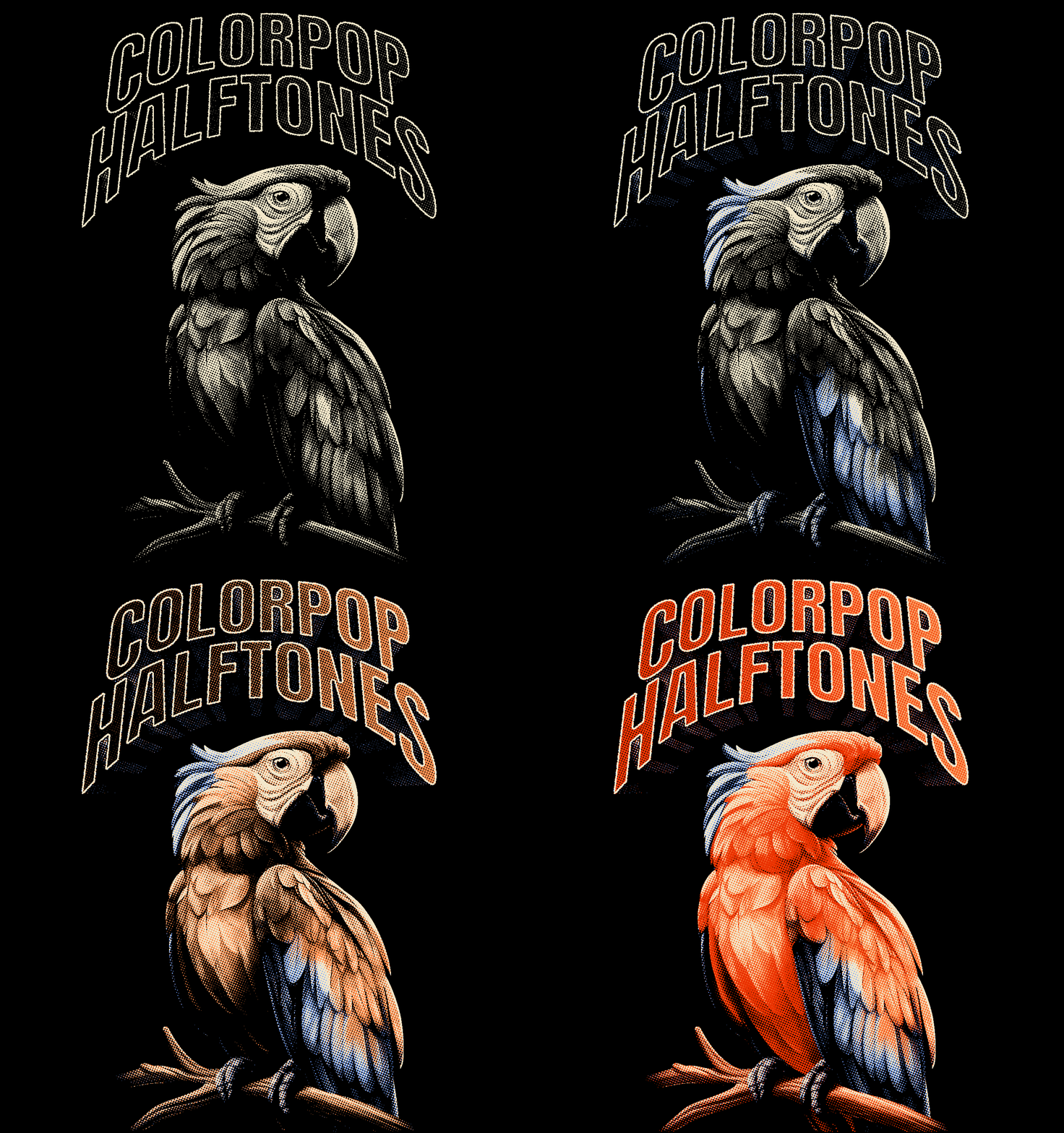
    Instantly transform your photos and graphics into MULTI-COLOR HALFTONE images.

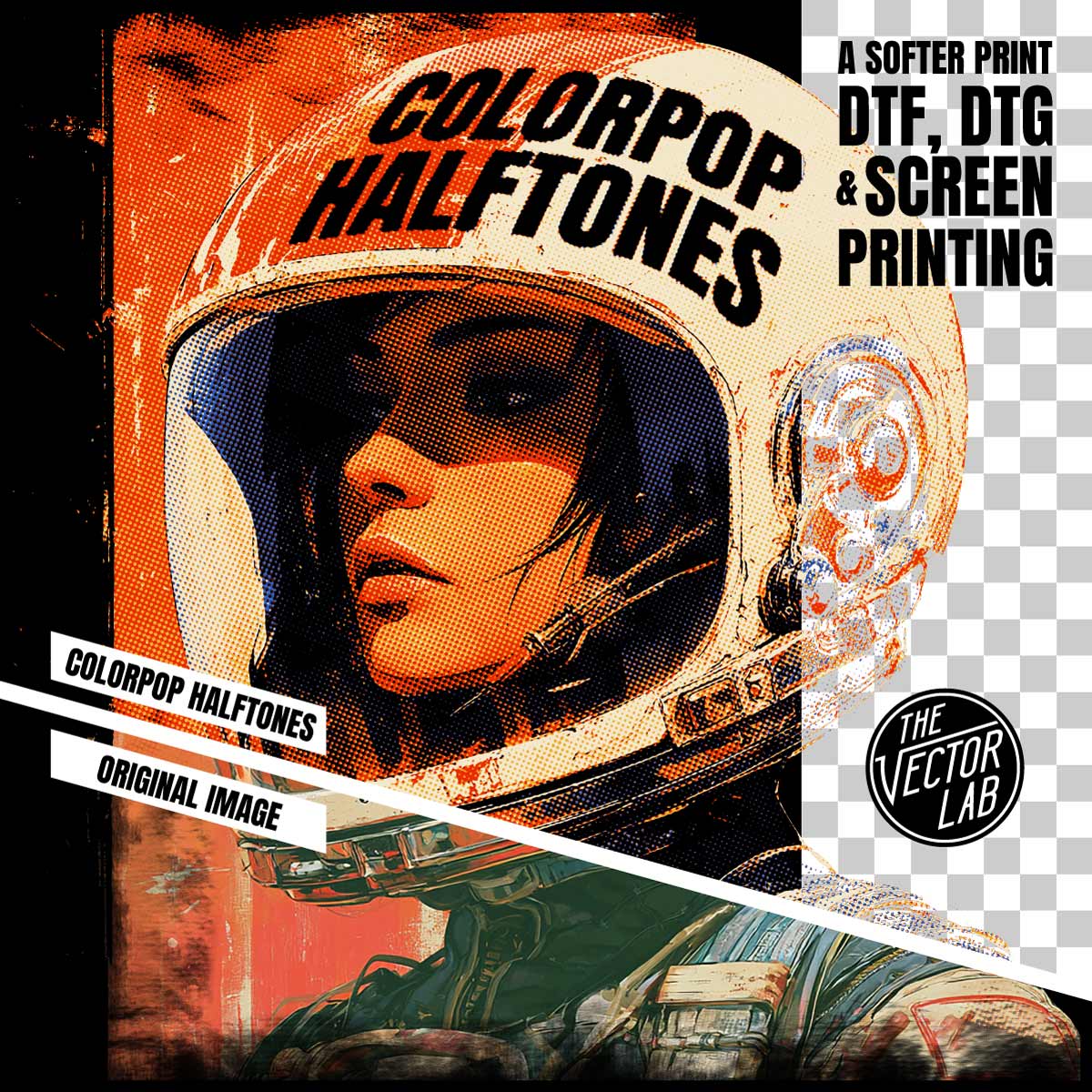
    Pick from 40 color palette presets — or use any colors you want. Knock out the darkest or lightest color in one click for a softer print on DTF, DTG, and screen printing.

    Live-editing on the fly: Adjust your halftone pattern, scale, angle, and colors with no need to "convert to bitmap" to view the results.

    Perfect for screen printing, DTF direct to film, DTG direct to garment, dye sublimation, and all other methods of printing.

    How it works:

    1. Copy & paste your image into the template.
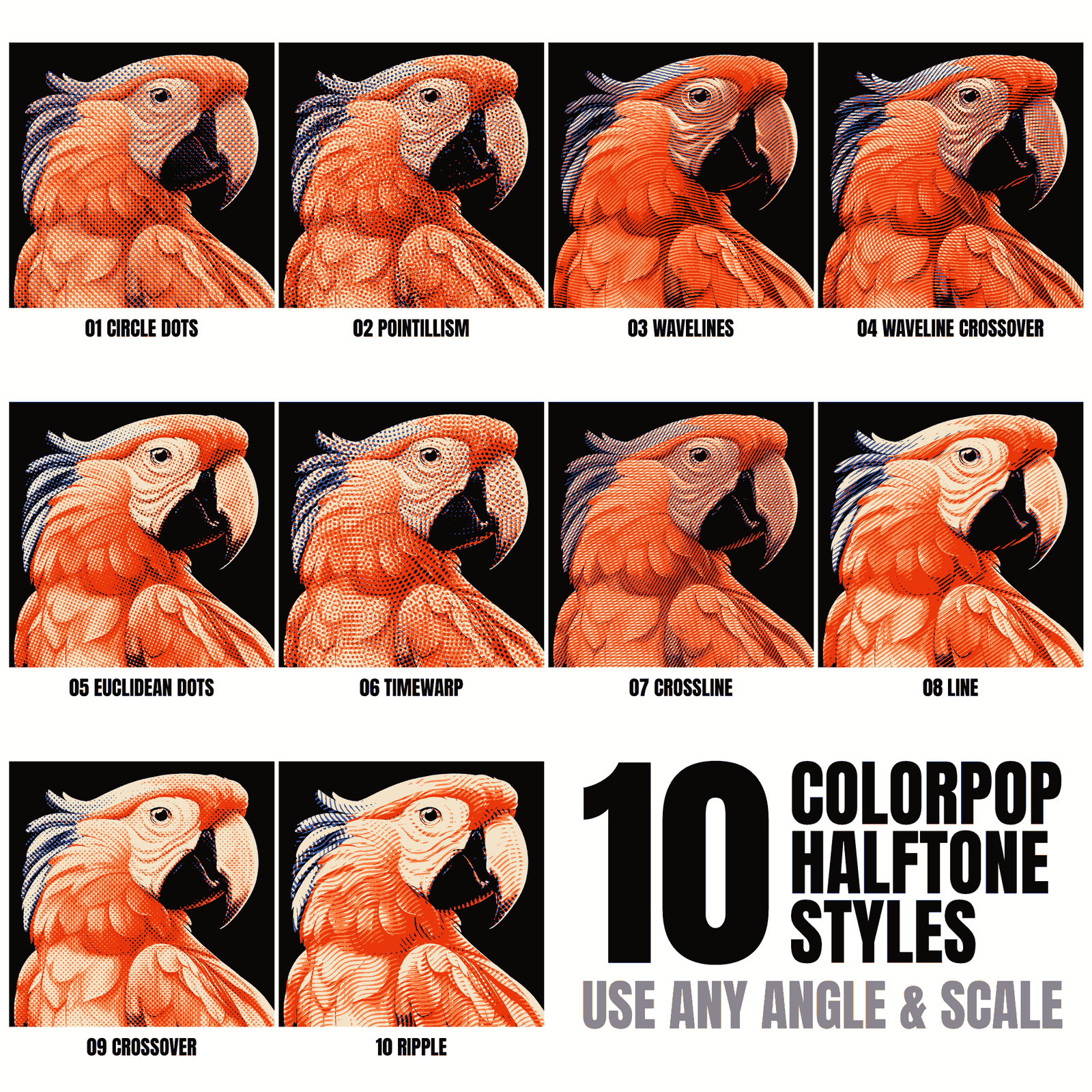
    2. Choose from 10 decorative halftone patterns.
    3. Apply one of 40 color palette presets — or pick any colors you want.
    4. Knock out the darkest or lightest color for a softer print.
    5. Scale the halftone dot or line pattern up or down, and set it to any angle.
    6. Export your image as a Transparent PNG. Or copy and paste it into another Photoshop or Illustrator file for further editing.

    What you get:

    • The ColorPop Halftones template (4200 x 5700 pixels — increase the canvas if you need a larger print size).
    • 10 adjustable halftone pattern options.
    • 40 color palette presets, plus full custom color control.
    • Quick Start Guide PDF instructions and tutorial video.

    ColorPop Halftones is a regular Photoshop file. No plugins or actions to install!

    Software Compatibility
    ColorPop Halftones works in:

    • Photoshop (CC, and ALL newer versions) for Desktop Mac and Windows.
    • Affinity (Version 3 or newer)

    Not compatible with Illustrator, Corel, Inkscape, Gimp, Flexi, Procreate or other software.

    4.9
    Rated 4.9 out of 5 stars
    Based on 35 reviews
    Total 5 star reviews: 34 Total 4 star reviews: 0 Total 3 star reviews: 0 Total 2 star reviews: 0 Total 1 star reviews: 1
    97%would recommend this product
    Slide 1 selected
    35 reviews
    • YJ Profile picture for yoo j.
      yoo j.
      Flag of South Korea
      Verified Buyer
      I recommend this product
      Software Preference Adobe Photoshop
      Hardware Preference Windows PC
      Occupation Business Owner, Screen Printer / Manufacturer, Artist, Student
      Reason for purchase Want To Improve My Designs
      I would like to see TheVectorLab offer more Graphic & Logo Templates, Tutorials
      Rated 5 out of 5 stars
      멋져요

      복잡하게 작업 할필요가 없어서 너무 좋아요

    • ST
      Samuel T.
      Flag of United States
      Verified Buyer
      I recommend this product
      Software Preference Adobe Photoshop
      Hardware Preference Windows PC
      Occupation Hobbyist
      Reason for purchase Want To Save Time, Want To Save Money, Want To Improve My Designs, Want To Learn
      I would like to see TheVectorLab offer more Tutorials
      Rated 5 out of 5 stars
      Exelente

      Exelente recurso 100% muy recomendable y exelente atencion al cliente

    • SR
      Slick R.
      Flag of United States
      Verified Buyer
      I recommend this product
      Software Preference Adobe Photoshop
      Hardware Preference Mac
      Occupation Graphic Designer
      Reason for purchase Want To Save Time, Want To Improve My Designs
      I would like to see TheVectorLab offer more Tutorials
      Rated 5 out of 5 stars
      Easy to use

      Nice add on to photo shop. Easy to learn & use

    • AA
      Aiden A.
      Flag of United States
      Verified Buyer
      I do not recommend this product
      Software Preference Adobe Photoshop
      Hardware Preference Windows PC
      Occupation Hobbyist, Artist, Graphic Designer, Freelancer, Business Owner
      Reason for purchase Want To Improve My Designs, Want To Save Time
      I would like to see TheVectorLab offer more Textures / Brushes
      Rated 1 out of 5 stars
      I was expecting more for th price I guess?

      I oddly was assuming this would be a plug-in and usable on any art but the clever marketing showcases art designed to make these patterns and gradients work best. Generic black and white art work doesnt have much if any effect and the idea of a psd I have to open to use these is insane. At end of day I paid for gradients and pattern overlays.

      TheVectorLab
      Yesterday

      Hi Aiden - I appreciate the candid feedback, and have reached out directly to sort things out with you.

      You're right it's not a one-click plugin. ColorPop is a Photoshop/Affinity tool you open and run art through — that's the tradeoff for more control over the colors and halftone effects.

      The effect needs color or tonal range to show up — gradients and shading — so flat black-and-white line art has almost nothing to convert. On color art with gradients it really does its thing.

      If your art is more black-and-white or grayscale with some gradient variation, Knockout Halftones is the better fit. ( Search for it on the site / or: https://thevectorlab.com/products/knockout-halftones )

      Thanks for taking the time — notes like these help me set expectations clearer up front.

      -Ray

    • AC
      Alberto C.
      Flag of United States
      Verified Buyer
      I recommend this product
      Software Preference Adobe Photoshop
      Hardware Preference Mac
      Occupation Graphic Designer, Freelancer, Artist
      Reason for purchase Want To Save Time
      I would like to see TheVectorLab offer more Textures / Brushes
      Rated 5 out of 5 stars
      A must have!

      Simple and effective. It is now part of my workflow.