







ColorPop Halftones
Rated 4.9 out of 5 stars
57 Reviews
$44.00
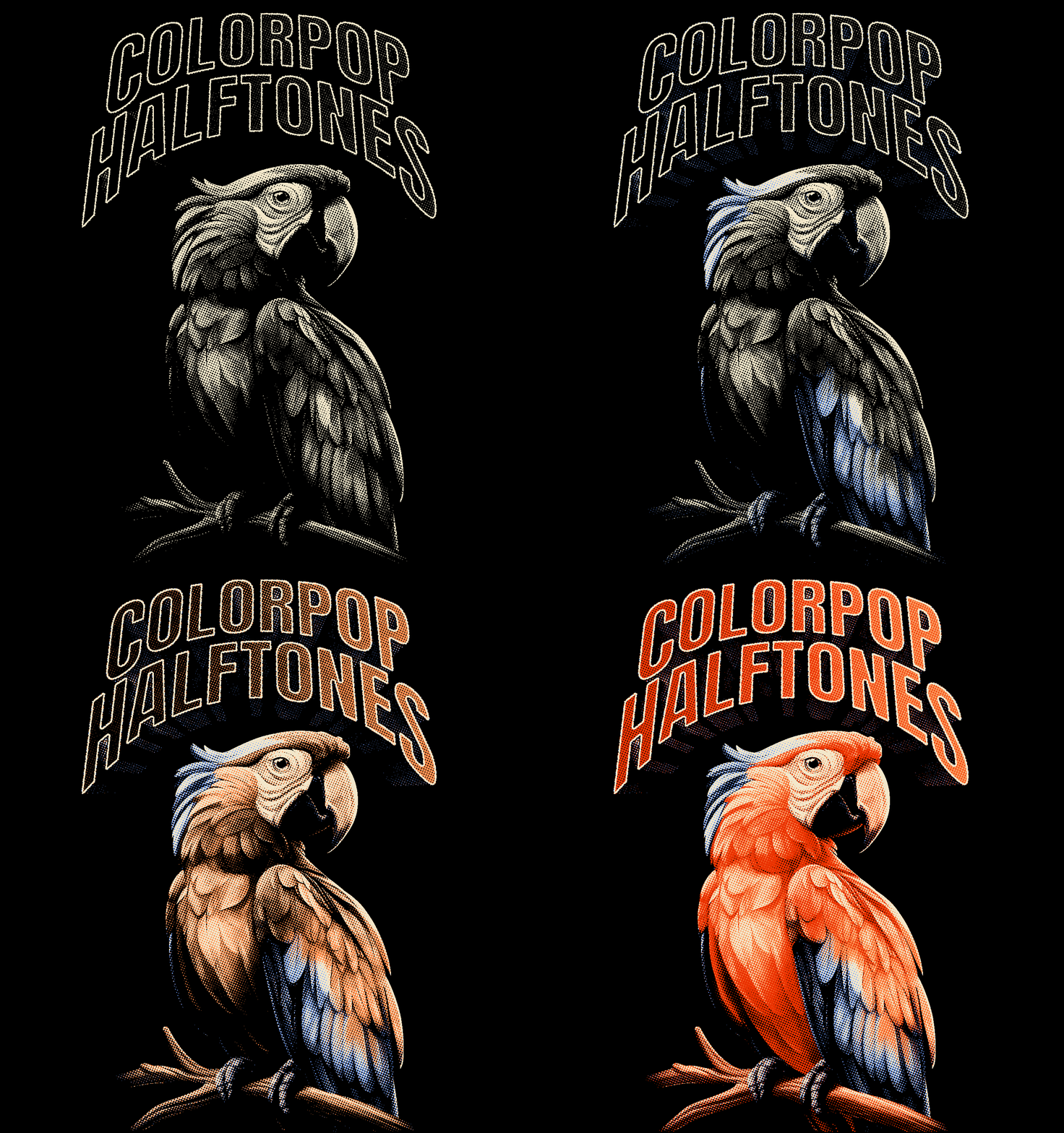
Instantly transform your photos and graphics into MULTI-COLOR HALFTONE images.
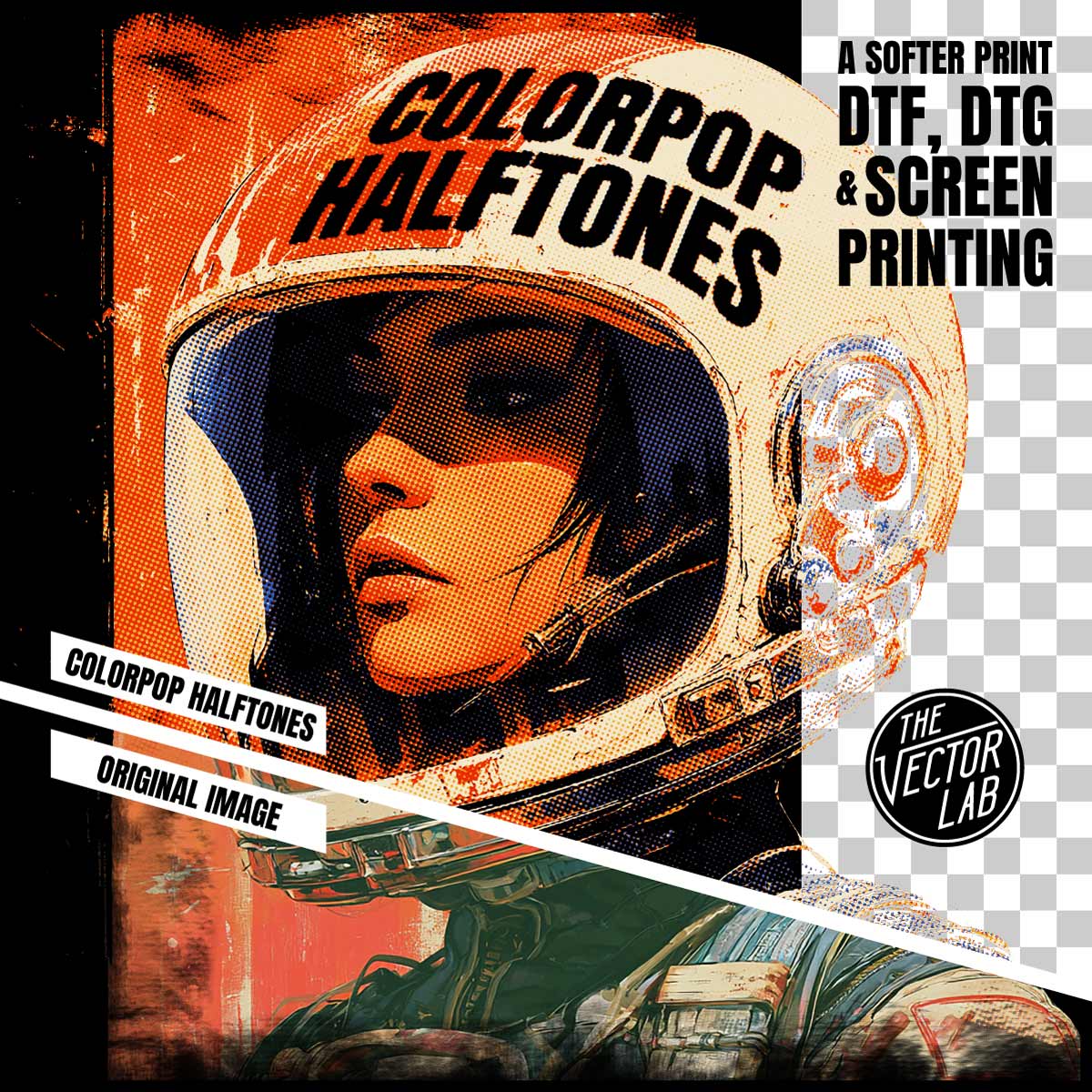
Pick from 40 color palette presets — or use any colors you want. Knock out the darkest or lightest color in one click for a softer print on DTF, DTG, and screen printing.
Live-editing on the fly: Adjust your halftone pattern, scale, angle, and colors with no need to "convert to bitmap" to view the results.
Perfect for screen printing, DTF direct to film, DTG direct to garment, dye sublimation, and all other methods of printing.
How it works:
- Copy & paste your image into the template.
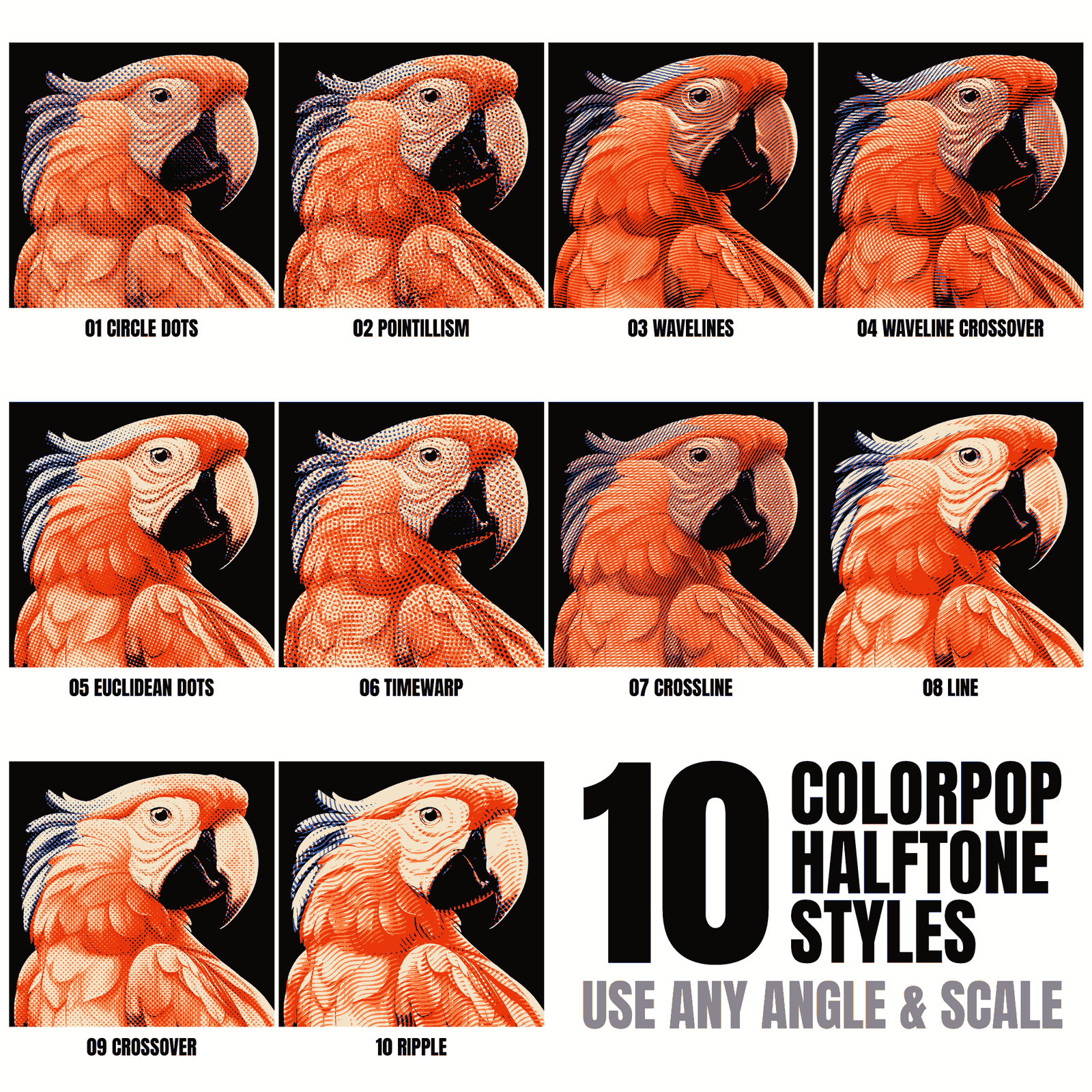
- Choose from 10 decorative halftone patterns.
- Apply one of 40 color palette presets — or pick any colors you want.
- Knock out the darkest or lightest color for a softer print.
- Scale the halftone dot or line pattern up or down, and set it to any angle.
- Export your image as a Transparent PNG. Or copy and paste it into another Photoshop or Illustrator file for further editing.
What you get:
-
The ColorPop Halftones template (4200 x 5700 pixels — increase the canvas if you need a larger print size).
-
10 adjustable halftone pattern options.
-
40 color palette presets, plus full custom color control.
- Quick Start Guide PDF instructions and tutorial video.
ColorPop Halftones is a regular Photoshop file. No plugins or actions to install!
Software Compatibility
ColorPop Halftones works in:
- Photoshop 2022 (version 23) or newer for Desktop Mac and Windows. (not compatible with Elements)
- Affinity (Version 3 or newer)
Not compatible with PS Elements, Illustrator, Corel, Inkscape, Gimp, Flexi, Procreate or other software.
This Product is Also Available In These Larger Bundles:


You may also like
98%would recommend this product
Slide 1 selected
57 reviews
- SCSuthya C.Verified BuyerRated 5 out of 5 starsEasy To USe
Awesome Tools, Easy To USe
- YJyoo j.Verified BuyerRated 5 out of 5 stars멋져요
복잡하게 작업 할필요가 없어서 너무 좋아요
- SPScott P.Verified BuyerRated 5 out of 5 starsLove the feel and the textures
Creates a new opportunity to customize a design for best performance and feel.
- MGMichael G.Verified BuyerRated 5 out of 5 starsPunches way, way above its weight
The ability to take my art an adjust it so easily and create new efficient screens, dtg files and dtf so easily seems like cheating. This isn’t my first purchase and definitely won’t be my last. Nothing but good vibes here. 😎
- RARichard A.Verified BuyerRated 5 out of 5 starsMoney Well Spent
Great way to add a variety of visuals for my otherwise basic designs. Perfect for DTF